Home / Guides / Marketing and Author Websites
How to Create an Author Website in 7 Steps
 By AuthorWings editorial team
10 min read
By AuthorWings editorial team
10 min read
Short answer
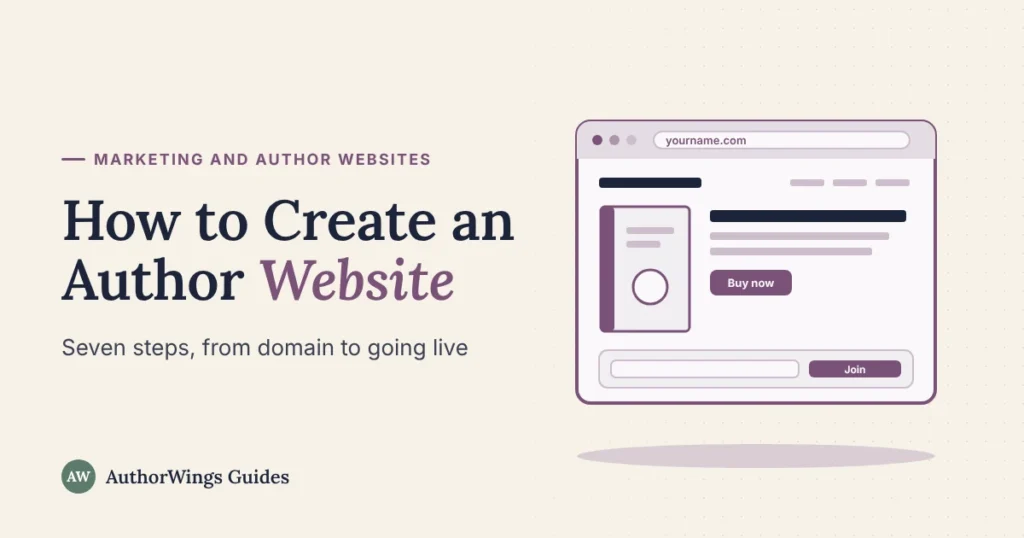
To create an author website, register a domain in your author name, choose a website builder or WordPress, and set up a home, books, about and contact page (or one page with those sections). Add a newsletter signup and links to every store, then test the site on a phone before you share it.
You don’t need to know code to build an author website, but a few early choices decide how easy it is to run and whether you can move it later. This guide walks through seven steps, from choosing your domain to the checks before you share the link. The setup picker below suggests a starting point for your time and skills. If you’d rather have it built for you, see our author website design services.
Before you start: what your website is for
Your website is the part of your online presence you control yourself. Store pages, social media and reader sites can change their rules; your domain, your site’s content and your newsletter list stay in your hands. That makes it the home base of your author platform: every profile, book and post can point back to it.
A first author website has three jobs:
- Show your books and send readers to buy them.
- Collect newsletter signups, so you can reach readers directly.
- Answer the basic questions a reader, journalist or event organizer has about you.
Start with those three. A blog, a shop and extra pages can come later.
Step 1: Choose your author name and register the domain
Your domain is your website’s address, such as yourname.com. Readers often search for an author by name, so the domain should match the name on your covers.
- Decide on your author name first. If you write under a pen name, the domain uses the pen name. The pen name generator helps if you’re still deciding.
- Try yourname.com first. If it’s taken, add a word such as “author” or “books” (janedoeauthor.com) rather than switching to a hard-to-spell version.
- Register it in your own name, with an email address you’ll keep. If someone else registers it for you, make sure you’re listed as the owner and have the login.
- Turn on auto-renew and privacy. Domains are registered for a set term, often one year, and must be renewed before they expire. If it expires, you may get a short window to renew, sometimes with an extra restore fee; after that, someone else can register it. Many registrars offer privacy protection that keeps your contact details out of public lookups.
Step 2: Pick a website platform
The platform is the software your site runs on. The main choice is how much you want handled for you, and how easily you can move the site later.
| Option | What it is | Good for | Watch out for |
|---|---|---|---|
| All-in-one website builder | One company provides the design tools, hosting and security for a monthly or yearly plan | Authors who want it simple, with drag-and-drop editing | Moving to another platform usually means rebuilding the design |
| WordPress on your own hosting | Free open-source software installed on hosting you rent | Authors who want full control, a blog or room to grow | You handle updates, backups and plugins (add-ons), or pay someone to |
| One-page site | A single page with sections for your books, about, signup and contact, often made on a website builder | A first book, or while a full site is being built | Fewer pages to show up in searches beyond your name; check you can use your own domain |
Whichever you choose, check three things before you sign up: you can use your own domain, you can export your content (and your newsletter list, if the platform holds it), and the plan includes HTTPS (the address starts with https://).
Which website setup suits you?
Website setup picker
Four questions. Your answers stay on this page; nothing is saved or sent.
A simple rule: if you want it simple, use an all-in-one website builder, with one page to start or a few pages if you’ll sell or blog. If you’re happy to tinker and want to sell, blog or grow, consider WordPress on your own hosting.
Step 3: Set up the basics
Before you write any pages, set up the look and the essentials.
- Pick a simple theme (a ready-made design) that reads well on a phone. Many readers will visit on a phone.
- Match your covers. Take one or two colors and a font style from your book covers, so the site feels like the same author.
- Use one good photo of yourself, the same one you use on your author profiles.
- Check HTTPS is on, so the address starts with https and browsers don’t warn visitors.
- Connect your domain from Step 1, so your site shows your own address.
Step 4: Create your core pages
Four pages cover what readers look for first. Keep each one short; you can add more later.
- Home: who you are, what you write, your latest book with buy links, and a newsletter signup.
- Books: each book’s cover, a short description and links to every store. The book description generator gives you a first draft to edit.
- About: a short bio and your photo. The free author bio generator drafts one in three lengths.
- Contact: a contact form or an email address for readers, events and media.
A blog, a media kit, an events page or a page for each series can come later. Writing for children? Our websites for children’s authors section covers what parents, teachers and librarians look for.
Step 5: Add a newsletter signup
A newsletter signup turns a visitor into a reader you can reach again. Choose an email newsletter tool (see how to build an author newsletter), then add its signup form to your home page and the end of your books page.
- Ask only for an email address (a first name is optional).
- Say what readers will get and how often, such as “a short email when a new book is out.”
- Offer a reason to join if you can: a short story, a bonus chapter or a reading guide.
- Add a privacy page that says what you collect and how you use it, and link to it from the form.
- Follow the email rules. In the US, the CAN-SPAM Act requires, among other things, your marketing emails to include a valid postal address (a street address, a PO box registered with the US Postal Service, or a registered private mailbox) and a clear way to unsubscribe, and unsubscribe requests must be honored within 10 business days. If you have readers in the EU or UK, their privacy laws generally require specific consent before you email them. Email newsletter tools usually add the unsubscribe link and your address for you, but you stay responsible even when a tool sends for you. Use a clear opt-in on your signup form.
Send a test signup to yourself to check the form and the welcome email work.
Step 6: Connect your books and profiles
Link your site to every store and profile, and link each of those back to your site.
- Link every store that sells your book, for each format.
- Link to your author profiles on Amazon, Goodreads and BookBub from your site, and add your website address to any profile that has a website field (Goodreads does).
- Add your website to your social media bios, your email signature and the back pages of your books.
Step 7: Test, launch and keep it current
Check these before you share the link:
- Every page works on a phone, and the text is easy to read without zooming.
- Every buy link goes to the right book and format.
- The signup form works, and the welcome email arrives.
- Images have alt text (a short description for screen readers).
- The address shows https.
- The site has a title and a short description for search results, usually set in the page settings (on WordPress, often through an SEO plugin).
Then share it: your newsletter, your profiles and your social bios. After launch, update the site whenever a new book, cover or event comes up. Planning a release? Our book launch checklist covers the weeks around it.
Mistakes to avoid
- A domain in someone else’s name. If a designer or friend registers it, you may struggle to get it back.
- No signup form. A site without one can’t help you reach readers again.
- Too many pages too soon. Four clear pages beat twelve half-finished ones.
- Old books and dates. A site showing last year’s “coming soon” tells readers it isn’t kept up.
- A design that fights your covers. Colors and fonts that clash with your books make the site look like someone else’s.
When to hire help
If you’d rather spend the time writing, our team builds it in your name. An Author Page ($499) is a one-page site with your newsletter, a signup page and 3 welcome emails. An Author Website ($1,499) has 5 pages, a blog, ebook sales, a professional email address at your own domain and 5 welcome emails. Both include hosting for the first year; from year 2, hosting is $149 a year for an Author Page or $249 for an Author Website. Your domain is registered in your name, and you keep every file and login. See author website packages.
Author websites
Want it built for you?
We build your author website and newsletter signup in your name, with hosting for the first year, and hand over every file and login.
- Author Page $499
- Author Website $1,499
- Hosting from year 2, from $149 a year
Author website questions
Should you use your own name or a pen name for the domain?
Use the name on your covers, because that’s what readers search for. If you write under a pen name, the domain should use the pen name too. If you write in very different genres under two names, you can use one site with a section for each name, or two separate sites.
Can you build an author website before your book is published?
Yes, and it helps to start early. A one-page site with your name, what you’re writing and a newsletter signup lets interested readers follow you before launch. Add the books page and buy links once the book is listed.
Do you need a blog on your author website?
No. A blog helps if you’ll post regularly, for example articles in your field for non-fiction. If you won’t keep it up, leave it out; an empty blog looks abandoned. Your newsletter can keep readers updated instead.
Can you move your website later?
Usually, if you planned for it. Keep your domain in your own name with a separate login, keep your newsletter list in an email tool you can export from, and keep copies of your text and images. Then you can rebuild the site on another platform and connect the same domain to the new site.
Related reading
AuthorWings editorial team
The AuthorWings editorial team writes and updates our guides for first-time authors. Every post is read and edited by a person on our team before it is published.