Home / Guides / Publishing
What Is EPUB? Ebook Formats Explained (EPUB vs PDF vs MOBI)
 By AuthorWings editorial team
9 min read
By AuthorWings editorial team
9 min read
Short answer
EPUB (electronic publication) is the open file format for ebooks, maintained by the World Wide Web Consortium (W3C). An EPUB’s text can rewrap to fit any screen, and as of October 2026, Amazon KDP, Apple Books, Kobo, and Google Play Books all accept it for publishing. A PDF keeps a fixed page, and MOBI is Amazon’s older format, which KDP no longer accepts.
Ebook files come with a lot of extensions: .epub, .pdf, .mobi, .azw3, .kpf, .docx. Only a few matter if you’re writing, selling, or reading ebooks in 2026. This guide explains what EPUB is, how the main formats compare, and which file to use. New to the topic? Start with what an ebook is.
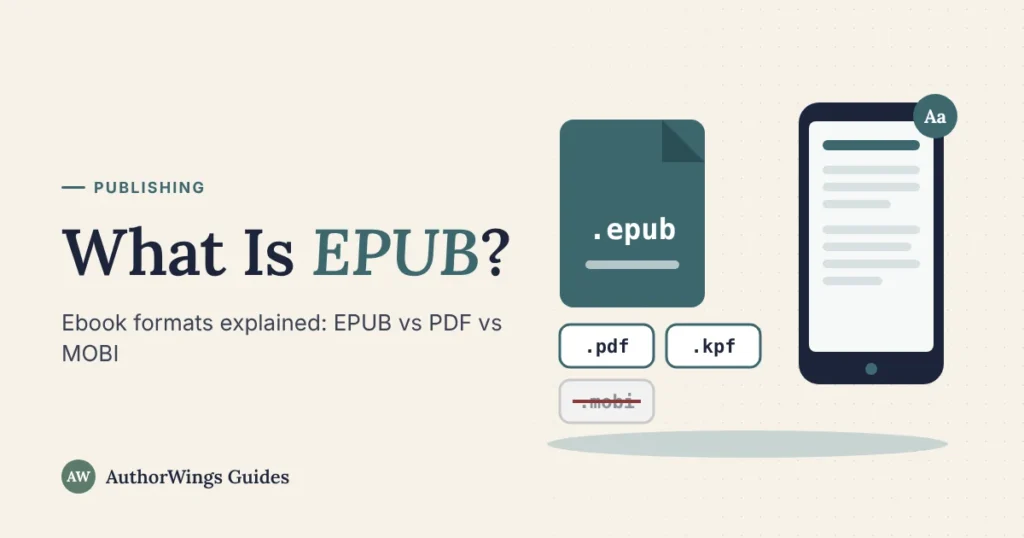
- .epubThe standard
- .pdfFixed page
- .kpfAmazon only
- .docxUpload file
- .mobiRetired on KDP
- .azw3Kindle’s own
What is EPUB?
EPUB is short for electronic publication. It’s the open standard for ebooks, now maintained by the W3C, the group that sets web standards. The current version is EPUB 3.3, a W3C Recommendation, and its current edition is dated 13 January 2026.
An EPUB file works like a small website packed into one file. Under the .epub extension is a ZIP archive that holds:
- The text, in XHTML pages (the same language as web pages).
- Images, such as photos, charts, and illustrations.
- Styles (CSS), which set fonts, spacing, and layout.
- A navigation file, the table of contents readers tap to jump between chapters.
- A package file, which lists every part, the reading order, and the book’s details, such as title and author.
By default, an EPUB is reflowable: the text rewraps to fit the screen, and readers can make it bigger or smaller. An EPUB can also be fixed layout, where each page keeps its exact design, which suits picture books and comics. Our ebook formatting page explains which one your book needs, and our guide on how to format a children’s book covers fixed layout.
Ebook formats compared
Here are the files you’ll meet, and what each one is for. As of October 2026:
EPUB.epubOpen standard
- What it is
- The open ebook standard; reflowable or fixed layout
- Read it on
- Apple Books, Google Play Books, Kobo, and Kindle through Send to Kindle
- Upload to stores
- Yes: KDP, Apple Books, Kobo, Google Play Books, Draft2Digital
PDF.pdfFixed page
- What it is
- A fixed page, the same on every screen
- Read it on
- Almost any device; best on large screens
- Upload to stores
- Google Play Books; KDP only as an extra format in some languages
KPF.kpfAmazon only
- What it is
- The file Amazon’s Kindle Create (or Kindle Previewer) makes
- Read it on
- Not a reading file
- Upload to stores
- KDP only
Word.docxManuscript
- What it is
- Your manuscript file
- Read it on
- Not a reading file
- Upload to stores
- KDP, Kobo, Draft2Digital convert it
MOBI.mobiRetired on KDP
- What it is
- Amazon’s older Kindle format
- Read it on
- Kindle e-readers (copied over by USB); no longer through Send to Kindle
- Upload to stores
- Not on KDP since 2021 (2025 for fixed layout); Kobo Writing Life still lists it
AZW and AZW3.azw, .azw3Amazon only
- What it is
- Amazon’s own Kindle book files
- Read it on
- Kindle e-readers
- Upload to stores
- Not a KDP upload format
Not sure what a file is? Tap a file type to see what it does.
What’s this ebook file?
Tap a file type. Nothing is saved or sent.
EPUB vs PDF
EPUB and PDF both hold a book, but they behave differently on a screen.
.epubEPUB
- Page
- Text rewraps to fit the screen
- On a phone
- Easy to read; text size adjusts
- Best for
- Ebooks sold in stores
- Stores
- Accepted by the main ebook stores
.pdfPDF
- Page
- Fixed page, the same everywhere
- On a phone
- Zoom and scroll
- Best for
- Print files, workbooks, and documents read on a computer
- Stores
- Google Play Books; KDP as an extra format only
For authors: sell your ebook as an EPUB (or upload Word or KPF to KDP), and keep the PDF for print. A PDF works well for a free download on your website, such as a checklist or a workbook readers will print, but some readers will be on a phone, so offer an EPUB too.
For readers: EPUB is the easier read on a phone or e-reader. A PDF is fine on a tablet or computer, and for books where the page design matters, such as textbooks.
For more on how a PDF differs from an ebook, see what is an ebook.
EPUB vs MOBI, and what happened to MOBI
MOBI was the file Kindle used for years, and some older guides still tell authors to upload one. That advice is out of date.
- 1 August 2021KDP stops accepting MOBI for reflowable ebooks.
- 20 December 2023Amazon told Send to Kindle users it would end MOBI support by this date. As of October 2026, Send to Kindle’s file list has no MOBI; send an EPUB instead.
- 18 March 2025KDP stops accepting MOBI for fixed-layout ebooks.
- October 2026KDP asks for EPUB, Word (DOCX), or KPF.
Kindle e-readers can still open MOBI files you copy over by USB, and Kobo Writing Life still accepts MOBI uploads. But as of October 2026, no major store requires MOBI, so make an EPUB.
Can Kindle read EPUB?
Yes, in two ways, depending on who you are.
Readers
As of October 2026, Amazon’s Send to Kindle service accepts EPUB files, along with PDF, TXT, RTF, HTML, and image files. Send the file from the Send to Kindle app or website (up to 200 MB on the web), and, with Add to your library turned on, it appears in your Kindle library.
Authors
KDP accepts EPUB files that meet its Kindle Publishing Guidelines and turns them into Kindle books for Kindle devices and apps. Check your file first in Amazon’s free Kindle Previewer.
For the full upload steps on Amazon and the other stores, see how to publish an ebook.
Which ebook format should authors use?
Pick by the kind of book and where it will sell.
If it isA novel, memoir, or text-led nonfiction
UseA reflowable EPUB 3. One well-built file can go to KDP, Apple Books, Kobo, and Google Play Books.
If it isA picture book, comic, or cookbook with full-page images
UseA fixed-layout EPUB, so each page keeps its design.
If it isAmazon only, and you write in Word
UseUpload the Word file, or make a KPF with Kindle Create.
If it isA free download for your email list
UseA PDF for printing, plus an EPUB for phones.
How to make and check an EPUB
As of October 2026, there are four common routes to a store-ready ebook file:
- Formatting software that exports EPUB; see book formatting software.
- Kindle Create, Amazon’s tool for PC and Mac, which makes a KPF for KDP only, not an EPUB.
- A store’s own conversion, such as Kobo, which converts a Word file for you.
- A professional formatter, who builds and tests the file for you.
EPUBCheckKindle Previewer
Then check it. EPUBCheck, the free, open-source checker from the W3C maintained by the DAISY Consortium, finds errors that stores reject. As of October 2026, Apple Books requires every EPUB to pass the latest version of EPUBCheck. Kindle Previewer shows how the book will look on Kindle devices.
Selling in the EU? Since 28 June 2025, the European Accessibility Act has required new ebooks sold in the EU to be accessible: readers must be able to move through the book’s structure, have the text read aloud, change the font and make the text bigger, and get text descriptions of images, according to France’s Ministry of Culture, which says titles already on sale must be made accessible by 2030. Under the Act, microenterprises providing services (fewer than 10 staff and annual turnover or balance sheet of no more than EUR 2 million) are exempt. A well-built EPUB 3, with headings, a table of contents, and image descriptions, is the base for an accessible ebook.
Get your ebook files made
If you’d rather not build the file yourself, our ebook formatting makes a reflowable EPUB 3 that passes EPUBCheck and is tested in Kindle, Apple Books, and Kobo. Our ebook publishing services then put it on Amazon and the main ebook stores in your name, and our self-publishing packages cover editing, cover, formatting, and publishing in one plan.
Ebook formatting
Ready for a file every store accepts?
We build your EPUB, check it with EPUBCheck, and test it in Kindle, Apple Books, and Kobo before you get it.
- Ebook formatting $89
- Kindle ebook on Amazon $249
- Amazon plus 4 ebook stores $549
Ebook formats FAQ
How do I open an EPUB file?
Open it in a reading app that supports EPUB. On an iPhone, iPad, or Mac, Apple Books can open EPUB files that have no copy protection. Google Play Books lets you upload EPUB and PDF files to your library and read them on any device you sign in to. To read on a Kindle, send the EPUB with Send to Kindle. Kobo e-readers can take EPUB files that have no copy protection, copied over from a computer by USB.
Is EPUB better than PDF?
For ebooks read on phones and e-readers, yes. An EPUB’s text rewraps to fit any screen and readers can make it bigger, so it reads well on a phone or e-reader, and the main ebook stores accept it. A PDF keeps a fixed page, which suits print files, workbooks, and documents read on a computer. You can use both: EPUB for stores, PDF for print.
Does Amazon KDP accept EPUB files?
Yes. As of October 2026, KDP lists EPUB with Word (DOC or DOCX) and KPF among its suggested ebook formats, and it turns your file into a Kindle book. Check the EPUB in Kindle Previewer before you upload. KDP no longer accepts MOBI files, for reflowable ebooks since August 2021 and fixed-layout ebooks since March 2025.
Is MOBI still used?
Rarely. KDP stopped accepting MOBI for reflowable ebooks in August 2021 and for fixed-layout ebooks in March 2025, and Send to Kindle’s file list no longer includes it. Apple Books, Google Play Books, and Draft2Digital don’t take MOBI either. Kobo Writing Life still lists it as an upload format, but EPUB works in every one of these stores.
What is a KPF file?
KPF (Kindle Package Format) is the file Amazon’s Kindle Create makes when you format a book in it; Kindle Previewer can also make one. You upload it to KDP, and it’s used only for publishing there, so it won’t work in other stores or reading apps. For Apple Books, Kobo, or Google Play Books, you need an EPUB.
Related reading
AuthorWings editorial team
The AuthorWings editorial team writes and updates our guides for first-time authors. Every post is read and edited by a person on our team before it is published.