Home / Guides / Comics and Graphic Novels
Free Comic Book and Graphic Novel Templates
 By AuthorWings editorial team
Updated
9 min read
By AuthorWings editorial team
Updated
9 min read
Short answer
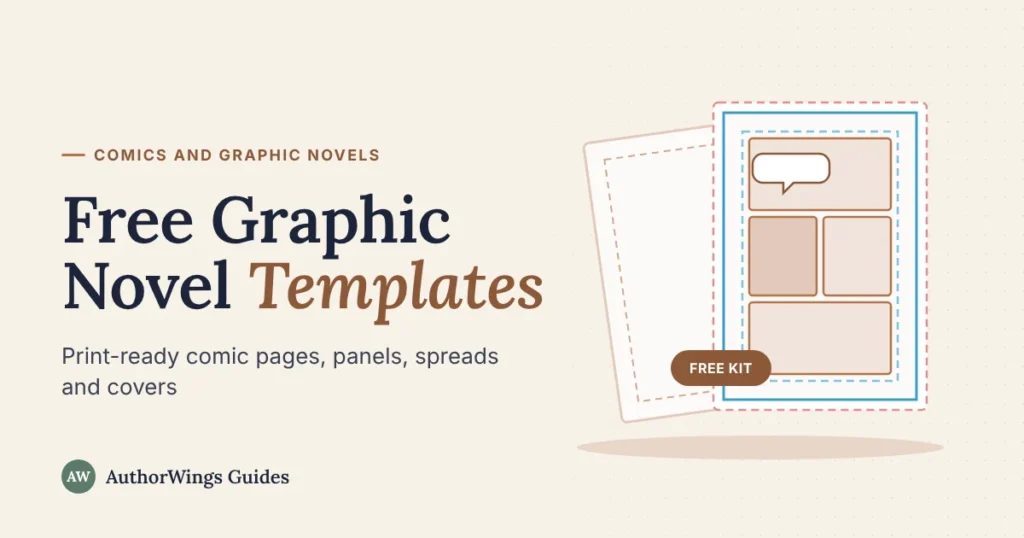
Download a free kit of comic book and graphic novel templates, with no sign-up. It has page templates with bleed and safe area in 3 print sizes, 8 panel layouts ready on those pages, a two-page spread, a page planner, a thumbnail sheet, a character sheet, a front cover, a webcomic canvas and a print checklist.
Most free comic templates online are blank boxes with no print guides, so art gets cut off or lettering sinks into the binding when the book is printed. These templates mark where the page is trimmed, where art should bleed, and where text is safe. They’re the same guides a comic book illustrator sets up before drawing page one.
Download the free template kit
Download the full kit (ZIP)Free for personal and commercial use. Please don’t resell the templates themselves.
What’s in the kit
| Template | What it’s for | Formats |
|---|---|---|
| Page templates, 3 sizes | Drawing finished pages with trim, bleed and safe area marked | PDF, PNG |
| 8 panel layouts, in each size | Starting a page from a proven layout | PDF, PNG |
| Two-page spread | Drawing across two pages without losing art in the binding | PDF, PNG |
| Page planner | Planning a 24-page book page by page | |
| Thumbnail sheet | Sketching the whole book small, spread by spread | |
| Character sheet | Keeping each character and their colors the same | |
| Front cover | Placing the title, art and credits safely | PDF, PNG |
| Webcomic canvas | Drawing vertical-scroll episodes sized for upload | PNG |
| Print checklist | Checking files before you send them to a printer |
Every file is free for personal and commercial use. Use them for your own comics, books and classes. Please don’t resell the templates themselves.
Comic page templates with bleed and safe area
Each page template shows three lines. Keep everything important inside the innermost one.
- Bleed0.125 inch outside the trim. Art that should reach the edge extends into this area, so no white strip shows after cutting.
- TrimWhere the printer cuts the page.
- Safe area0.5 inch inside the trim. Keep faces, speech balloons, captions and page numbers inside this line.
The kit has three sizes:
| Size | Best for | Prints on |
|---|---|---|
| 6 × 9 in | Manga-style books and smaller graphic novels | Amazon KDP, IngramSpark, most printers |
| 7 × 10 in | Graphic novels close to the classic comic shape | Amazon KDP, IngramSpark, most printers |
| 6.625 × 10.25 in | Classic American comic book size | Comic and offset printers, IngramSpark, or Amazon KDP as a custom paperback size (as of October 2026) |
That last point catches many first-time creators: Amazon KDP doesn’t list the classic comic size among its standard trims. It can still print it as a custom paperback size, but not as a hardcover, and custom sizes may not reach bookstores through KDP. For the simplest route on Amazon, start on the 6 × 9 or 7 × 10 template. Our comic book size guide compares every format. The 0.5 inch safe area also clears KDP’s minimum margins for books up to 300 pages.
Panel layout templates
A panel layout sets how fast a page reads. Fewer, bigger panels slow the reader down; more, smaller panels speed things up. All eight layouts come drawn on real pages in each of the three sizes, inside the safe area, so you can start drawing straight away.
- Splash page
- Two tiers
- Three tiers
- Four panels
- Six-panel grid
- Nine-panel grid
- Widescreen
- Inset panel
- Splash page: one full-page image for big reveals and openings.
- Two tiers: two wide panels for calm, cinematic moments.
- Three tiers: the classic rhythm for most story pages.
- Four panels: a simple grid for dialogue scenes.
- Six-panel grid: steady, even pacing, the workhorse of many comics.
- Nine-panel grid: tight, fast beats and comic timing.
- Widescreen: three long horizontal panels for action and wide outdoor scenes.
- Inset panel: a large image with a small panel on top for a close-up or reaction.
Mix layouts across a book. A run of the same grid gets flat quickly. New to tiers, insets and splash pages? See panels, gutters and spreads explained.
Two-page spread template
A spread is one image across two facing pages. The template marks the binding area in the middle, where pages curve into the spine. Keep faces, balloons and key details out of that zone, and let background art run through it.
Page planner and thumbnail sheet
Planning on paper first saves the most time. The page planner has a row for each of 24 pages: left or right page, the story beat, the panel count, and what the reader sees after turning the page. The thumbnail sheet shows the book as it will actually be read, in spreads: page 1 on its own on the right, then pages 2 and 3, 4 and 5, and so on.
That layout matters because a reader sees two pages at once. A surprise placed on a right-hand page can be spotted before the reader gets to it. Put big reveals on a left-hand page, right after a page turn.
Character sheet
The character sheet has a front, side and back view, a row of six expressions, notes for height and outfit, and swatch boxes to record each color’s code. Fill one in for every main character before you start the pages. It’s the simplest way to keep a face and a jacket the same on page 1 and page 100.
Comic book cover template
The front cover template marks three safe zones: the title at the top, the main art in the center, and the credits and logo at the bottom. It uses the same bleed and safe area as the page templates. A full printed cover also needs a back and a spine, and the spine width depends on your page count, so build the full wraparound once your page count is final.
Webcomic canvas
Vertical-scroll webcomics are read on phones, one long strip per episode. The canvas is 800 pixels wide with a slice line every 1,280 pixels, matching WEBTOON’s upload limits of under 800 pixels wide and under 1,280 pixels tall per image (as of October 2026). Draw the episode as one long strip, then export it in slices along the lines.
How to use the templates
On paper:
- Print the PDF at 100% (actual size), never “fit to page”. The pages fit on US Letter and A4 paper.
- Sketch in light blue or light pencil, then ink over it. New to inking? See how to draw a comic book.
- Scan at 600 DPI for black-and-white line art, or 300 DPI for color.
Digitally (Procreate, Clip Studio Paint, Krita, Photoshop):
- Create a canvas at the size printed on the PNG, at 300 DPI or more.
- Import the PNG as the top layer and lower its opacity.
- Draw on the layers below it, and hide the guide layer before you export.
Five mistakes that ruin a printed comic
- Text near the trim. It gets cut off or looks cramped. Keep all lettering inside the safe area.
- Art that stops at the trim line. A tiny shift in cutting leaves a white sliver. Extend edge art into the bleed.
- A size or page count your printer doesn’t offer. Stapled comics need a page count in multiples of four, covers included. KDP paperbacks need at least 24 pages. Check before you draw.
- Low resolution. Art drawn at screen resolution looks blurry in print. Work at 300 DPI or more.
- Faces in the binding. On a spread, the middle of the art curves into the spine. Keep key details out of it.
The print checklist in the kit covers these and a few more, so you can tick through them before you upload.
When to get help
Templates make the drawing easier, but a full comic still means hundreds of panels, and the templates are only one of the 7 steps to make a comic book. If you’d rather write the script and hand the art to someone else, an illustrator can take your pages from character sheets to lettering.
Comic and graphic novel illustration
Have a script? We’ll draw the pages.
One illustrator draws your whole comic from character sheets you approve, with lettering in every page price. You own all the art at delivery.
- Black-and-white page: $199, or $169 from 24 pages
- Full-color page: $249, or $219 from 24 pages
- Character sheets: free on books of 24 pages or more
New to the format? Start with what a graphic novel is and how it differs from a comic book.
Frequently asked questions
What size should a graphic novel page be?
It depends on where you’ll print. On Amazon KDP, 6 × 9 inches and 7 × 10 inches are standard sizes that suit graphic novels. The classic American comic size, 6.625 × 10.25 inches, isn’t one of KDP’s standard trims, but KDP can print it as a custom paperback size (as of October 2026). Comic and offset printers also print it. Choose the size before you draw, because resizing finished pages can crop the art.
Can I use these templates in Procreate?
Yes. Create a canvas at the size printed on the PNG file, at 300 DPI or more, then import the PNG as the top layer. Lower its opacity, draw on the layers underneath, and hide the guide layer before exporting. The same steps work in Clip Studio Paint, Krita and Photoshop.
Are these templates free for commercial use?
Yes. You can use the templates to make comics and graphic novels that you sell, print, or publish online, and you can use them in classes and workshops. Please don’t resell or redistribute the template files themselves. The small credit on each sheet sits outside the printed page area.
What is the safe area on a comic page?
The safe area is the zone inside the trim line where important content is protected from cutting. On these templates it sits 0.5 inch inside the trim. Keep faces, speech balloons, captions and page numbers inside it. Background art can still run past it into the bleed.
AuthorWings editorial team
The AuthorWings editorial team writes and updates our guides for first-time authors. Every post is read and edited by a person on our team before it is published.