Home › Self-Publishing Services › How to self-publish a book
How to self-publish a book
To self-publish a book, you edit the manuscript, get a professional cover, format it as an ebook and a print file, and upload it to Amazon KDP and IngramSpark. KDP is Amazon’s self-publishing platform, and IngramSpark supplies bookstores and libraries. Both print each copy when it’s ordered, and uploading is free, so you pay only for the help you choose.
This guide walks you through all nine steps to self-publishing a book in plain English, with 2026 prices, the royalty rules and a free checklist. Still writing? Save this guide for when your draft is done.
What is self-publishing?
Self-publishing means you act as your own publisher. You pay for editing, design and production, set up the book on retail platforms in your own name, and keep full control and every royalty. A traditional publisher does the opposite: it pays for everything, owns the publishing rights and pays you a smaller share of each sale.
Self-publishing is not the same as paying a “vanity press” to publish you. With a vanity press, the company often controls your accounts, takes a share of your royalties or keeps rights. When you self-publish, the accounts, the ISBN and the income are yours.
Should you self-publish?
Self-publish if you want control over the cover, price and schedule, a book out in months instead of years, and a larger share of each sale. Consider a traditional publisher if you want an advance, bookstore placement handled for you, and someone else paying for production. See our full comparison of self-publishing vs traditional publishing, with real numbers for both. Prefer a publisher? See how to get a book published.
Step 1: Edit the manuscript
Editing is the step readers notice most when it’s skipped. Plan for more than one pass.
- Revise it yourself first. Fix the big problems (plot, structure, argument) before you pay anyone to look at sentences.
- Get outside readers. Beta readers, people in your genre who read an early draft, tell you where they got bored or confused.
- Hire the level of edit you need. A developmental edit fixes structure, a line or copy edit fixes sentences and consistency, and a proofread catches the last typos in the finished layout.
- Proofread last. Have the formatted pages proofread, because new errors can appear when the text is laid out.
Our book editing services start with a proofread from $160, and a line edit, copy edit and proofread together come to $0.071 a word for fiction.
Step 2: Design a cover that sells
Many readers first see your cover as a thumbnail on Amazon, next to the bestsellers in your genre. It has to fit in with them and still stand out.
- Match your genre. Look at the top 20 books in your category. Thrillers, romances and business books each have their own look, and readers judge a book by it in a second.
- Make it work small. The title must be readable at thumbnail size, on a phone.
- Plan the full wrap. A print cover also needs a spine and a back cover, sized to your final page count. The front can be designed early, but the full wrap is finished after the interior is formatted.
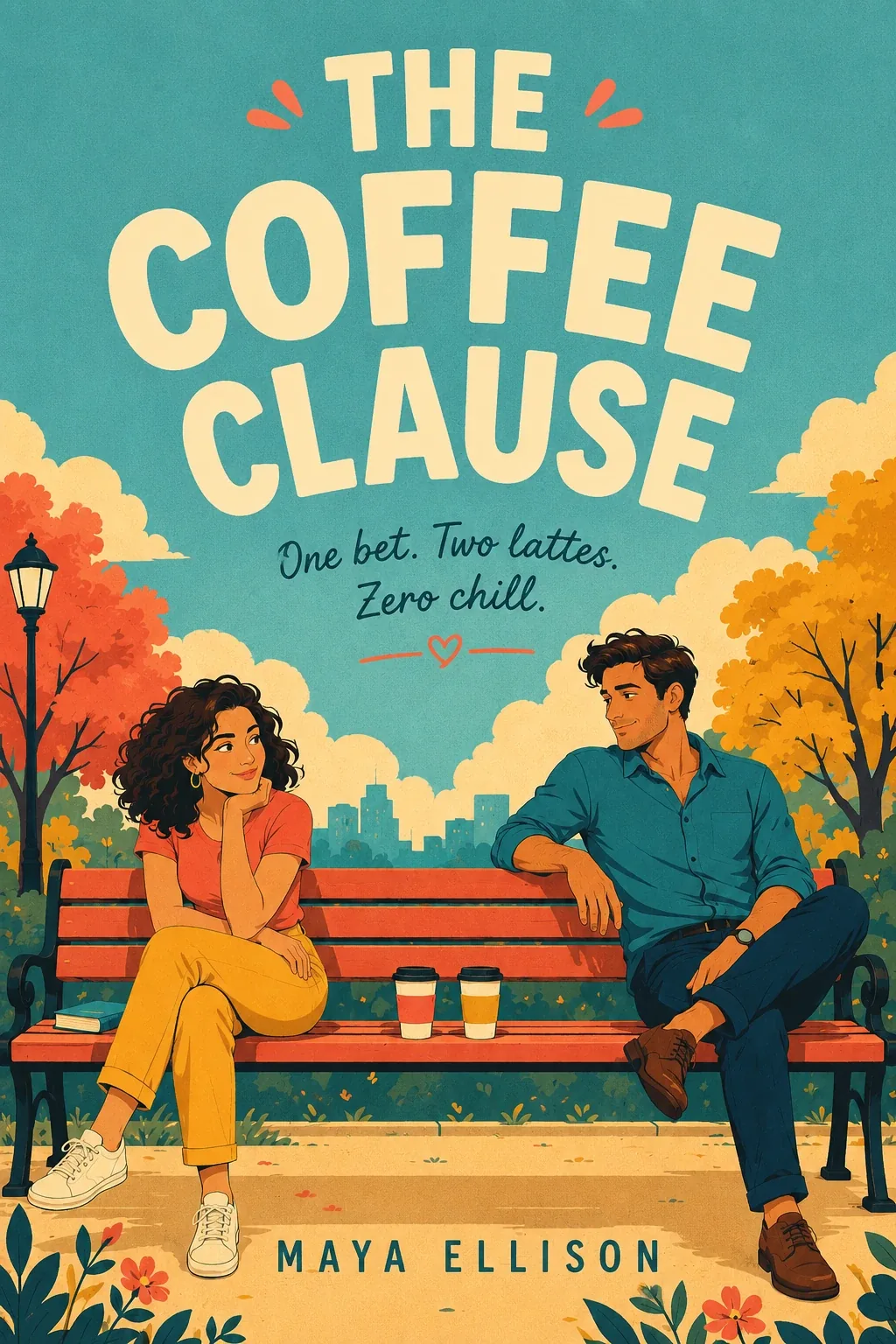
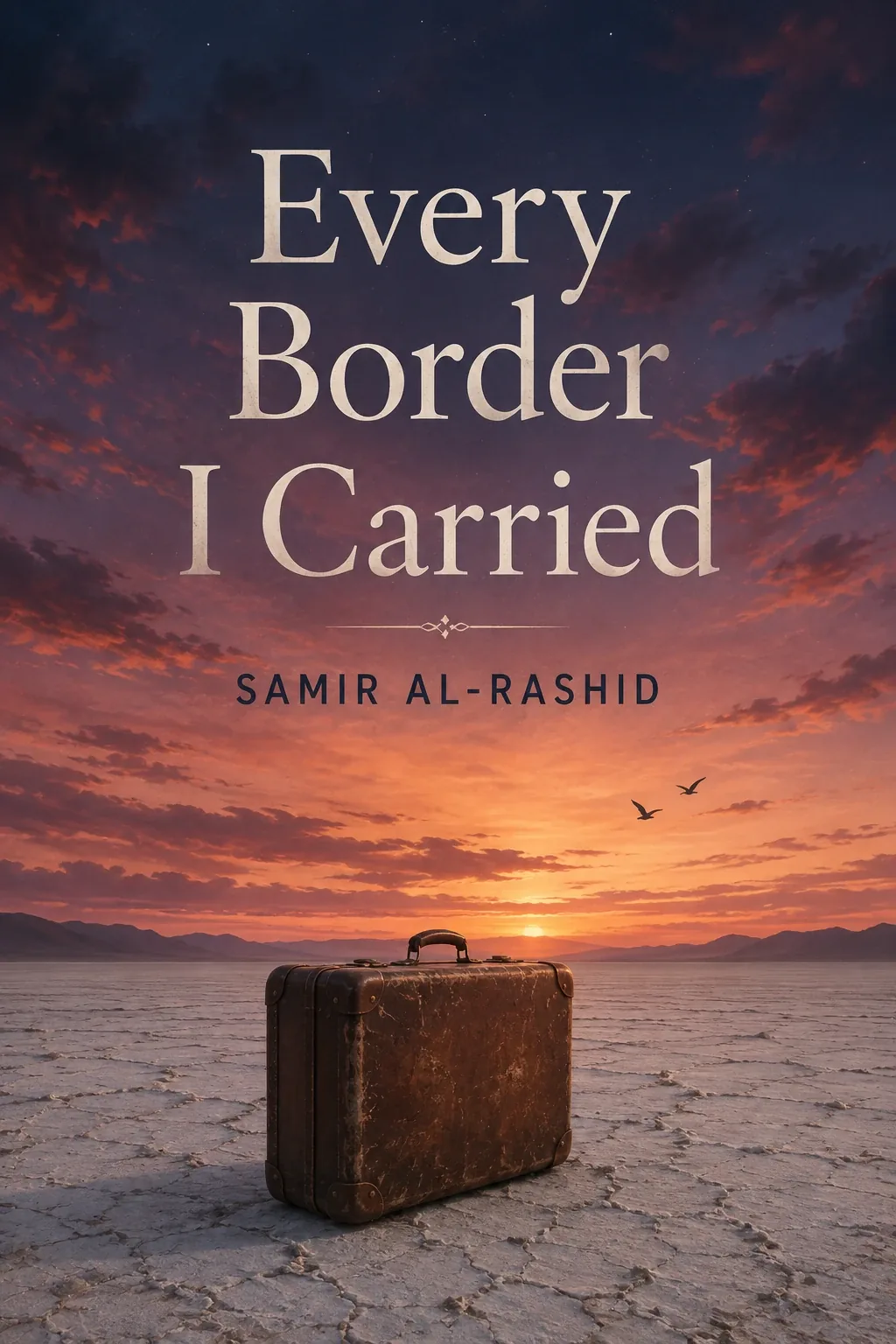
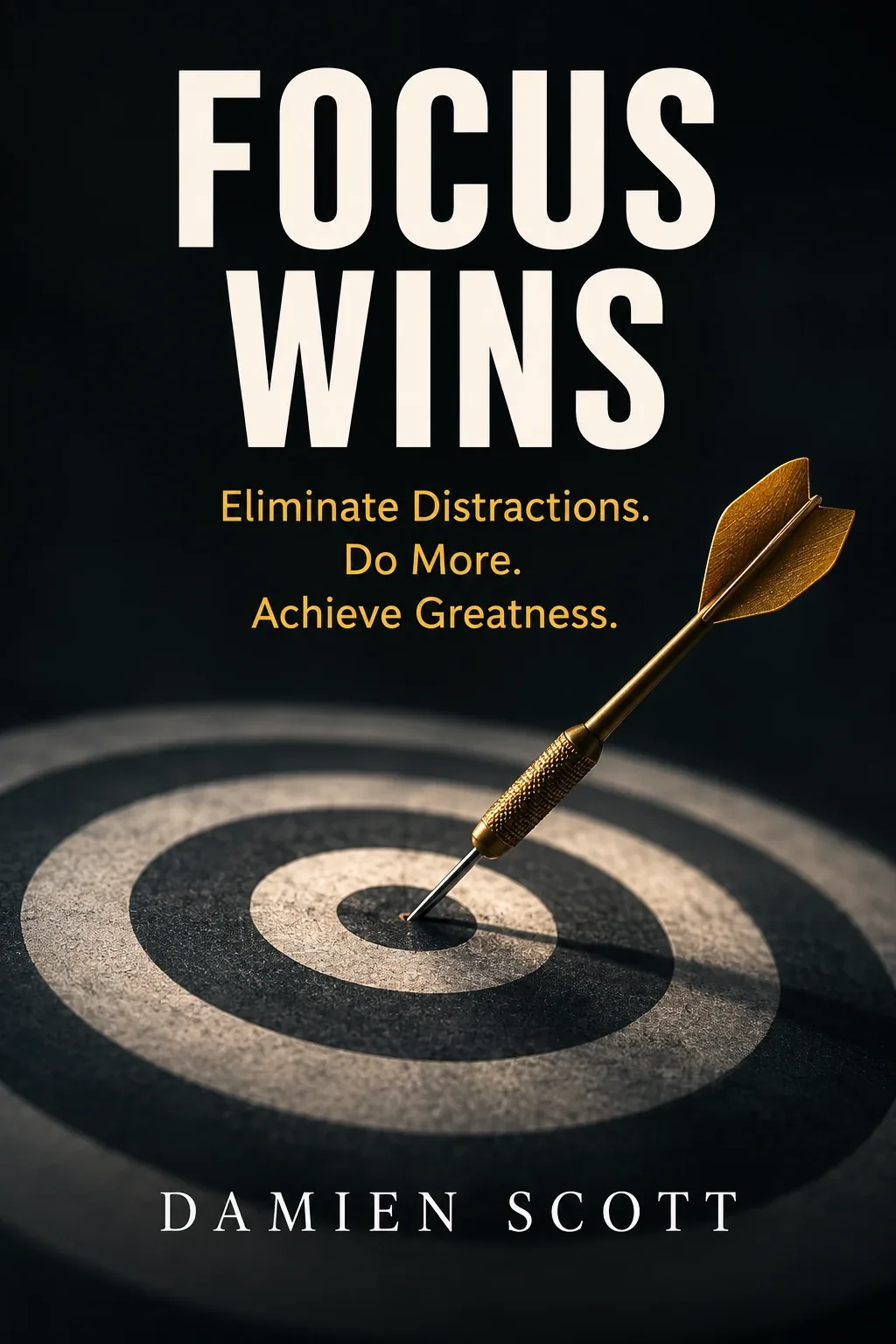
Our book cover design starts at $199 for an ebook cover and $399 for ebook, paperback and hardcover.
Step 3: Format the ebook and print files
Formatting turns your manuscript into the files the stores accept.
- Ebook: a file whose text reflows to fit any screen. Apple Books, Kobo and other stores take an EPUB file. Amazon’s free Kindle Create tool turns a Word file into a Kindle ebook, which works on Amazon only.
- Print: a PDF set to your trim size, the finished size of the book. Many novels and nonfiction books use 5.5 x 8.5 or 6 x 9 inches.
- Interior details: a title page, copyright page, table of contents for ebooks, consistent chapter openings, and page numbers and headers in print.
- Page count matters. Your print cost, spine width and minimum price all come from it.
If you only want an ebook, you can skip the print file. That’s the simplest way to self-publish an ebook, and you can add print later. Our book formatting starts at $89 for an ebook, and all three editions (ebook, paperback and hardcover) start at $429.
Step 4: Get an ISBN and protect your rights
An ISBN is your book’s ID number in stores and libraries. Get it before your files are final, because it goes on the copyright page and in the barcode on the back cover. Each print format needs its own number, so the paperback and the hardcover get different ones. Amazon doesn’t require one for the ebook.
- Free ISBNs work in one place. KDP gives you a free ISBN for print books, but it can only be used on KDP, and your publisher is listed as “Independently published.”
- Your own ISBN works everywhere. In the US, ISBNs come from Bowker: $125 for one, or $295 for 10. It also lets you publish under your own imprint name.
- Copyright is automatic. Your book is protected as soon as you write it. Registering it with the U.S. Copyright Office is optional but gives you stronger legal protection. The online fee is $45 for one work by one author, or $65 for most other filings, as of October 2026. A fee schedule sent to Congress in July 2026 would raise these to $55 and $85 in late 2026, so check before you file.
Print books need an ISBN. Amazon gives a free one for its paperback. For other print books, use your own ISBN ($30 plus the agency fee). Some ebook stores ask for one too, and we confirm it on your call. Our Global publishing tier ($999) includes your own ISBN for every format, and we can file your copyright registration for $199 plus the Office’s fee. See our publishing add-ons.
Step 5: Write the title, description and keywords
This information, called metadata, is how readers and stores find your book. It matters as much as the cover.
- Title and subtitle. Fiction titles set the mood. Nonfiction subtitles should say what the reader gets.
- Book description. The 150 to 300 words on your sales page. Open with a hook, then tell readers what they’ll get. Skip the chapter-by-chapter summary.
- Categories. On KDP you choose up to three of Amazon’s own categories. IngramSpark, Apple Books and many other stores use BISAC codes, the standard subject codes for books, and IngramSpark also takes Thema codes for stores outside North America. Specific categories are easier to rank in than broad ones.
- Keywords. KDP gives you seven keyword boxes. Use phrases readers type, such as “cozy mystery with a cat,” and don’t repeat words already in your title.
- Author bio. Two or three sentences on why you’re the right person to write this book.
Our free book title generator, book description generator and author bio generator give you drafts to start from.
Step 6: Choose where to sell your book
For many authors, the best way to self-publish a book is KDP for Amazon and IngramSpark for bookstores and libraries, then a choice about how to sell the ebook. Compare every option in our guide to self-publishing platforms.
| Platform | What it does | What you earn |
|---|---|---|
| Amazon KDP | Ebook, paperback and hardcover on Amazon, printed as ordered | Ebooks 70% at $2.99 to $12.99, otherwise 35%. Print 60% of list price at $9.99 and up, 50% below, minus printing |
| IngramSpark | Print books for bookstores, libraries and other online stores | Set by your list price and discount, minus printing. Free to set up a title |
| Apple Books and Kobo | Ebook stores you can join directly | Apple 70% at any price. Kobo 70% at $2.99 and up, 45% below |
| Draft2Digital | One upload to many ebook stores and library apps | Takes about 10% of the retail price of each sale |
Rates as of October 2026. Check each platform before you publish.
Audiobooks are a separate format you can add later. They need a narrator, either you or someone you hire, and a square version of your cover.
Amazon only, or every store?
One ebook choice matters early. KDP Select puts your ebook in Kindle Unlimited, Amazon’s reading subscription, where you’re paid for pages read, but the ebook can be sold only on Amazon, in 90-day terms. Going wide puts it in every store and in library apps. Print books are never affected, and you can switch when a term ends. Compare both in our guide to publishing exclusive to Amazon or wide.
Amazon’s setup has its own rules for prices, categories and keywords. Our step-by-step guide on how to self-publish on Amazon covers every setting, with the 2026 royalty rules.
If you want your Amazon setup done for you, see our book publishing service.
Step 7: Set your price
Price like the books you compete with, then check the math.
- Ebooks: novels often sell for $2.99 to $5.99, and nonfiction often for $4.99 to $9.99. Since July 7, 2026, Amazon’s 70% royalty reaches up to $12.99 (older titles must opt in). A $4.99 ebook earns $3.28 (2 MB file), as of October 2026.
- Paperbacks: printing is taken out of your royalty. A 300-page black-and-white paperback costs about $4.60 to print on KDP. At $14.99 you earn about $4.39 per copy on Amazon. At $9.98 you’d earn about 39 cents.
- Series: a lower price on book one can pull readers into the rest of the series.
To see what each copy earns, use the cost to publish a book on Amazon guide.
Step 8: Publish and check a proof
- Create free accounts on KDP and, for bookstores and libraries, IngramSpark.
- Enter your metadata, upload the files and set your prices.
- Use the online previewer to check every page.
- Order a printed proof and read it on paper. Check the margins, the spine and the colors.
- Answer KDP’s AI question honestly. If an AI tool created any text, images or translations in your book, KDP asks you to disclose it, even if you edited them. Using AI only to help you edit or brainstorm doesn’t need disclosing, and the answer isn’t shown on your book’s page, as of October 2026.
- Fix anything you find, then publish. On KDP, a book usually appears on Amazon within 72 hours.
Order author copies at printing cost, plus shipping, to sell at events. For large orders, a print run from a book printer costs less per copy, but you pay up front and store the books.
Set up a pre-order if you want time to build buzz. It gives readers a date to buy and lets you collect early sales.
Step 9: Launch and market the book
Publishing puts the book in stores. Marketing gets it read. Self-publishing book marketing works best when it starts before launch day.
- Build a small launch team. Give free early copies to readers in your genre before launch day. Reviews must stay optional, as Amazon requires.
- Start an email list. It’s the one audience you own. Start with a signup link at the back of your book.
- Use Amazon ads carefully. Start with a small daily budget, target books like yours, and stop ads that don’t sell.
- Keep writing. A second book is often the best marketing for the first.
Our book marketing builds what you keep: an author website and newsletter, your Amazon page and a launch plan, from $199. Ads are optional and always in your name.
How long it takes to self-publish a book
From a finished manuscript, plan for about two to four months. Much of that time goes to editing and waiting on feedback.
| Weeks 1 to 6 | Editing, from the first edit to the last revision |
|---|---|
| Weeks 3 to 9 | Cover design: front first, wrap after formatting |
| Weeks 7 to 9 | Formatting, then the proofread |
| Weeks 9 to 10 | Metadata, uploads and a printed proof |
| Weeks 10 to 14 | Pre-orders, free early copies and launch |
An ebook-only book with a light edit can be ready in a few weeks. A long book with a full edit takes longer.
Do it yourself or hire help
You can do every step yourself. Many authors do some and hire the rest. The rule of thumb: hire for what readers judge, which is the editing and the cover, and do the uploading yourself.
| Step | Do it yourself | Hire help (AuthorWings price) |
|---|---|---|
| Editing | Self-edit and beta readers | Proofread from $160. Line, copy and proofread from $0.071 a word (fiction) |
| Cover | Design app templates | $199 ebook, $399 ebook and print |
| Formatting | Kindle Create for the ebook | Ebook from $89. All three editions (ebook, paperback and hardcover) from $429 |
| ISBN | Free on KDP (Amazon only) | Bowker’s fee ($125 for one, $295 for 10), paid by you. We set up your own ISBN for $30, and it’s included for every format on Global ($999) |
| Publishing | Free on KDP and IngramSpark | Amazon $249. Online Stores $549 (ebooks in five stores plus the Amazon paperback). Global $999 (adds IngramSpark, hardcover and library apps) |
| Marketing | Email list and a launch team | Website-led marketing from $199. Ads optional, in your name |
Save with a package
Our self-publishing packages combine cover, formatting and publishing in Publish-Ready bundles from $537, or add editing in Author-Polished bundles from $2,659 (both for books of 20,000 words; Author-Polished shown for fiction).
For every book type and word count, see how much it costs in our guide to the cost to publish a book, or build your own quote with the price calculator.
Red flags before you pay any publishing company
Much of the help for self-published authors is honest, but some companies charge a lot for little. Walk away if a company:
- Keeps your retail accounts in its own name instead of yours.
- Takes a share of your royalties or any of your rights.
- Won’t list prices in writing, or hides them behind a sales call.
- Promises bestseller status, film deals or bookstore placement.
- Charges for marketing extras that promise results, such as paid book fair displays or “guaranteed” review packages.
- Pressures you to decide on the first call.
At AuthorWings, our prices are published on our pages, every account is opened in your name, and you keep 100% of your rights and royalties.
How self-publishing changes by genre
The nine steps are the same for every book. What changes is where you spend, which formats sell and how you price. Pick your genre to see what matters most.
Fiction
Romance, thriller, mystery, fantasy and more
- Readers expect
- A cover that matches the genre at a glance, and a fast, clean read.
- Spend on
- A genre-matched cover and a copy edit. A developmental edit is worth it for a first novel.
- Formats that sell
- Ebook first, then paperback. Audiobooks do well in many fiction genres.
- KDP Select or wide
- Many series authors start in KDP Select to reach Kindle Unlimited readers.
- Pricing
- Ebooks often sell for $2.99 to $5.99, and a lower price on the first book can pull readers into a series.
- Mistake to avoid
- A cover that looks like a different genre. Readers skip it without reading the description.
See fiction publishing.
Nonfiction and business
Business, self-help, how-to and expert books
- Readers expect
- A clear promise in the subtitle and an author with real experience.
- Spend on
- Structure, with a developmental edit, and a clean, professional interior.
- Formats that sell
- Paperback and hardcover matter more than in fiction, and speakers and consultants often sell copies at events.
- KDP Select or wide
- Often wide, to reach libraries, other stores and readers outside the US.
- Pricing
- Ebooks often sell for $4.99 to $9.99, and paperbacks sell for more than fiction.
- Mistake to avoid
- A vague subtitle. Readers search for the problem your book solves.
Memoir
Life stories, family history and personal essays
- Readers expect
- An honest story with a clear theme that ties the events together.
- Spend on
- A developmental edit to find the shape of the story.
- Formats that sell
- Print first, since family, friends and community often buy paperbacks and hardcovers.
- Before you publish
- Think about how the people you write about will feel, and get legal advice if anything could be sensitive.
- Mistake to avoid
- Publishing the first draft of a very personal story.
See our guide to writing a book about your life.
Children’s books
Picture books to young adult
- Readers expect
- Art that fits the age group, and a book the adult reading aloud enjoys too.
- Spend on
- Illustration, which is usually most of the budget.
- Formats that sell
- Paperback and hardcover. Picture book ebooks need a layout where every page stays exactly as designed.
- Mistake to avoid
- Illustrating before the text is edited.
See how to publish a children’s book and children’s book publishing.
Poetry
Poetry collections and short collections called chapbooks
- Readers expect
- Careful layout, where line breaks and white space look right on every page.
- Spend on
- Print formatting and a proofread.
- Formats that sell
- Paperback first. Poetry ebooks need careful formatting so the line breaks hold.
- Mistake to avoid
- Using a novel template, which breaks the lines.
Cookbooks and photo books
Recipes, photography and art books
- Readers expect
- Strong photos and a layout that’s easy to follow.
- Spend on
- Photography, layout and color printing, which drive most of the cost.
- Formats that sell
- Print, usually in color.
- Mistake to avoid
- Setting the price before you know what each copy costs to print.
Self-publishing tools you’ll need
You can self-publish with a few tools, most of them free.
| Job | Tools |
|---|---|
| Writing | Word or Google Docs |
| Ebook file | Amazon’s free Kindle Create, or a formatting tool |
| Cover | A professional designer, or a design app with book templates |
| ISBN | Bowker in the US, or your country’s ISBN agency |
| Selling | KDP, IngramSpark, and Draft2Digital or each ebook store directly |
| Title, description and bio | Our free title, description, author bio and pen name generators |
8 mistakes first-time self-publishers make
- Publishing without a professional edit.Reviews that mention typos stay on the page for good.
- A cover that doesn’t fit the genre.Readers skip it in a second.
- Pricing a paperback just under $9.99.It cuts your Amazon royalty from 60% to 50%.
- Skipping the printed proof.Margins and colors look different on paper.
- Weak keywords and broad categories.Readers can’t find the book.
- Using the free ISBN for everything.It only works on KDP.
- Launching with no reviews and no email list.Early reviews and sales help readers, and Amazon’s recommendations, find the book.
- Treating launch day as the finish line.A book can keep selling for years after launch.
What’s changed in self-publishing recently
We checked every figure on this page against Amazon KDP’s help pages, IngramSpark, Kobo, Draft2Digital and the U.S. Copyright Office in October 2026. Platforms change their terms, so confirm on each one before you publish.
- Higher ebook prices at 70%.Since July 7, 2026, Amazon pays 70% on ebooks from $2.99 to $12.99. The top of the band was $9.99 before, and older titles must opt in.
- Lower royalties on cheap paperbacks.Since June 10, 2025, KDP paperbacks and hardcovers priced under $9.99 earn 50% instead of 60%.
- Free IngramSpark setup.Uploading a title to IngramSpark costs nothing.
- Copyright fees under review.A fee schedule sent to Congress in July 2026 would raise registration fees from $45 and $65 to $55 and $85 in late 2026.
- Libraries moved to Ingram.Baker & Taylor, the largest distributor of print books to US public libraries, stopped shipping to libraries in late 2025, and about 2,000 libraries opened accounts with Ingram (NPR, January 2026). A listing through IngramSpark matters more for library sales.
- Fewer Kindle tools.Amazon withdrew Kindle Comic Creator and Kindle Kids’ Book Creator in early 2025 and now points authors to Kindle Create.
How to self-publish a book: FAQs
How can I self-publish a book for free?
Write and self-edit the book, design the cover with a template, build the ebook in Kindle Create, and upload it to KDP, which is free and gives you a free ISBN for print. Printing is taken out of each sale, so you never pay for printing up front. The trade-off is quality: an edit and a professional cover are the two costs most worth paying.
Is it hard to self-publish a book?
The uploading is easy, and nobody reviews your book before it goes live. The hard part is making a book that can compete: a clean edit, a cover that fits the genre, the right title, description and keywords, and a plan to reach readers. Taking the steps in order, and hiring help where it matters most, removes most of the difficulty.
Can you self-publish a book and sell it in bookstores?
Yes. Publish the print edition through IngramSpark, which lists it in the catalog bookstores and libraries order from, and offer a wholesale discount and let stores return unsold copies. Stores still choose what they stock, so many self-published authors start with local bookstores, events and library requests from readers.
How long does it take to self-publish a book?
About two to four months from a finished manuscript, if you hire an editor and designer. Much of that time goes to editing and revisions. Once your files are ready, KDP usually puts a book on Amazon within 72 hours. An ebook with a light edit can be ready in a few weeks.
Is a self-published book copyrighted?
Yes. Your book is protected by copyright as soon as you write it, whether you self-publish or not. Registering with the U.S. Copyright Office is optional, but it gives you stronger protection if someone copies your work. Keep dated drafts as proof that you wrote it.
How much can you earn self-publishing a book?
On Amazon, you earn $3.28 per copy of a $4.99 ebook (2 MB file) and about $4.39 per copy of a $14.99, 300-page paperback, as of October 2026. Your total depends on how many copies sell. Many first books sell modestly. Authors who earn well usually publish several books, often in a series, and market consistently.
Do I need an LLC or my own imprint?
No. You can self-publish under your own name. Buying your own ISBNs lets you choose an imprint name that appears as the publisher. An LLC can help later with taxes and liability, but it isn’t required to publish, and many authors start without one.
Can I self-publish only an ebook?
Yes. You can publish an ebook alone on KDP, Apple Books, Kobo and other stores, without an ISBN on Amazon. It’s the fastest and cheapest way to start. Many authors add a paperback later, since print still sells well in many genres, especially nonfiction.
Free self-publishing checklist and budget plannerA 13-page kit to take your book from finished manuscript to launch: a readiness check, the 9-step checklist, a budget planner, a title and keyword worksheet, a pricing worksheet, a launch plan, questions to ask before you hire anyone, and a glossary. Word and PDF, free, no sign-up.
Want us to handle the hard parts?
We edit, design, format and publish your book on Amazon, IngramSpark and more, under one contract. Every account is opened in your name, and you keep 100% of the rights and royalties.