Short answer
A proofreading checklist is a list of the errors to look for in the final version of your book: spelling, punctuation, consistency, page layout, front and back matter, and ebook conversion. Use it on your Word file before formatting, again on the formatted proof, and on the ebook preview. The free printable version below has 41 checks.
Proofreading is the last check before your book goes on sale, and it’s easy to miss things when you know the text by heart. This checklist is built for self-publishing authors: it covers the Word file, the formatted proof and the ebook, in the order you’ll meet them. Tick it off on screen or print it. If you’d rather hand the final check to someone else, our proofreading is priced by genre and word count.
Proofreading Checklist for Authors (free)
Download the checklist (US Letter)Free to use for your own books. The corrections log is the list you send your formatter after the proof.
When to use the checklist
Proofread at each stage where errors can creep in. Not every group applies at every stage.
| Stage | What you check | Groups | Tool |
|---|---|---|---|
| Word file, before formatting | Words, punctuation, consistency | 1, 2, 3, 5 | Word, printed pages |
| PDF proof, after formatting | Everything, especially layout | 1 to 5 | PDF viewer, printed pages |
| Printed proof copy | Pages, cover, how it reads on paper | 4, 5, plus a final read | The proof copy and a pen |
| Ebook preview | Conversion and links | 6 | Kindle Previewer or a device |
Fixing errors in the Word file is easier than after layout, when each change means a new interior file and, once the book is live, another round of KDP review. Our guide to editing vs proofreading explains the Word file and printed proof choice in more detail.
The proofreading checklist
Tick each item as you check it. Your ticks aren’t saved, so print the list or download the PDF if you’re working over several days.
Proofreading checklist
41 checks in 6 groups
1Words and spelling
7 checks
2Punctuation and dialogue
7 checks
3Consistency
6 checks
4Pages and layout (print)
8 checks
5Front and back matter
7 checks
6Ebook
6 checks
Need dialogue rules for group 2? See dialogue punctuation. For which errors a copy editor fixes earlier, see copy editing vs proofreading.
Six ways to catch more errors
You know your book so well that your eyes fill in what should be there. These habits make the text look new again.
- Wait before you start. A few days away from the book helps you see what’s on the page, not what you meant.
- Change how it looks. A different font, size or a PDF breaks the familiar shape of each page.
- Read it aloud, or let Word’s Read Aloud read it to you, highlighting each word as it goes. Missing and doubled words are easier to hear than to see.
- Print it. Some errors are easier to spot on paper, and a printed proof shows layout problems a screen hides.
- Check one thing per pass. Spelling on one read, punctuation on the next, layout on the last.
- Recheck every fix. A correction can add a new error, or move a line onto the next page.
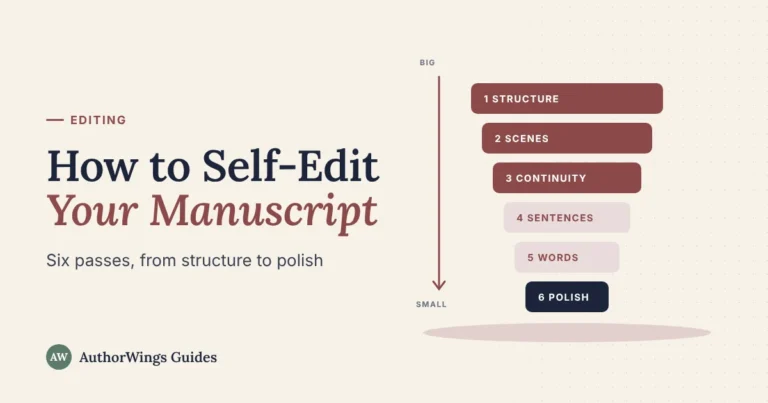
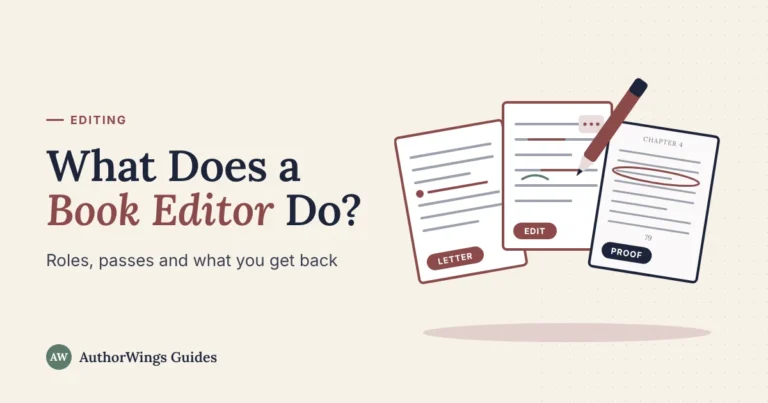
For your own revision passes before this stage, see how to self-edit your manuscript. For the deeper edit, see what a book editor does.
Send corrections as a list
Once the book is laid out, don’t send a new Word file. Send a list of corrections, so your formatter changes exactly what you mean and nothing else.
| Page | Line | Now reads | Change to |
|---|---|---|---|
| 14 | 6 | the the door | the door |
| 52 | 3 from bottom | Pinehollow | Pine Hollow |
| 79 | 1 | Short last line stranded at the top | Pull back to page 78 if possible |
| iv | Copyright page | ISBN of the hardcover | ISBN of this paperback |
Count lines from the top of the text, not counting the running head, and quote enough words that the formatter can find the spot. The download includes a blank corrections log. If you’re working with a formatter on interior formatting, ask how they’d like corrections sent; some accept notes on the PDF too.
When to hire a proofreader
Your own passes catch a lot, but a fresh reader catches what familiarity hides. At AuthorWings fiction rates:
- Proofreading: $160 for the first 10,000 words, then $0.016 a word; $1,120 for a 70,000-word novel. 3 to 7 business days.
- Not sure your book is ready for a proofread? A $49 sample edit of up to 1,000 words tells you which level it needs.
One lead editor handles the edit, with a fresh proofreader for the final check.
Proofreading
A fresh pair of eyes for the final check
A human proofreader checks your final file or proof pages against your style sheet and marks every correction.
- Proofreading from $160
- 3 to 7 business days
- $49 sample edit
Frequently asked questions
How many times should you proofread a book?
At least twice: once on the Word file before formatting and once on the formatted proof. After that, check every page you change. Order a printed proof copy too, because errors that hid on screen can show on paper. A professional proofread after your own passes catches what familiarity hides.
Is it better to proofread on paper or on screen?
Use both if you can. Paper, or simply a different format from the one you wrote in, makes the text look new, and you notice more. A screen is better for searching, such as checking every spelling of a name. For a print book, always read a printed proof before you publish.
What should you check on a KDP proof copy?
Start with the cover: spine text (if your page count allows it) centered and readable, nothing important too close to the edges, and the barcode area clear. Then check the interior: margins and the inner gutter, page numbers, chapter openings, image quality and front matter. List your corrections, upload the fixed files, then check the new preview or order another proof before you publish.
Can you proofread your own book?
Yes, and you should, but you’ll miss things. You know what the text is supposed to say, so your eyes fill in missing words and skim familiar sentences. Using a checklist, changing the format and reading aloud all help. For a book you’re selling, a fresh proofreader after your own passes is worth it.
Related reading

AuthorWings editorial team
The AuthorWings editorial team writes and updates our guides for first-time authors. Every post is read and edited by a person on our team before it is published.